Recent reports about schools being targeted by criminals using publicly available pupil photos are deeply worrying.
The UK Safer Internet Centre has shared advice for schools after warnings about images of children being misused with AI tools and used in blackmail attempts. The Guardian and The Times have also reported on cases involving school website and social media images being manipulated into AI-generated child sexual abuse material (CSAM).
It is a horrible thing for schools to have to think about.
Schools share photos for good reasons; They want to celebrate children’s achievements, show families what has been happening and bring school life to people who cannot always be there in person. A photo from a trip, sports day or classroom project can make families feel more connected to school.
It feels deeply unfair that ordinary, positive moments now have to be considered through the lens of AI misuse, image scraping and extortion.
But schools do need to consider it.
Consent matters, but it is not the whole answer
Most schools already have photo consent processes in place. They ask families whether their child’s image can be used on the school website, in newsletters, on social media or in printed materials.
That still matters. Schools should have clear policies and respect parents’ and carers’ wishes.
But consent does not remove every risk.
A family may be comfortable with their child appearing in a Facebook post or newsletter when they imagine the audience as the school community. They may feel differently if they consider that the image is publicly accessible, shareable, downloadable and available to people outside the school.
The ICO explains that images of identifiable people will usually count as personal data and that schools need a lawful basis for using them. It also points out that schools may have separate safeguarding and child protection policies around photography.
So the question is not only “Do we have consent?” A better question is: “Is publishing this image publicly necessary, proportionate and safe?“
Public newsletters should be treated as public
This issue is not limited to social media.
It also applies to school websites, PDF newsletters, Microsoft Sway presentations and public newsletter platforms such as Schoolzine, Hail, Ecko or similar tools.
That is not a criticism of any particular platform. It is simply the nature of school newsletters. They may be intended mainly for families, but if they are available through a public link, they should be treated as public.
A link can be forwarded. A page can be indexed. A PDF can be downloaded. A screenshot can be taken. Once an image is online, the school has much less control over where it goes next.
A sensible default: avoid identifiable faces
Given the current risks, schools may want to adopt a simple default position: Avoid publishing identifiable images of children’s faces publicly unless there is a strong reason to do so.
That may sound like a big shift, but it does not mean schools need to stop using photos altogether. Schools can still show what is happening by using:
- photos taken from behind or over the shoulder
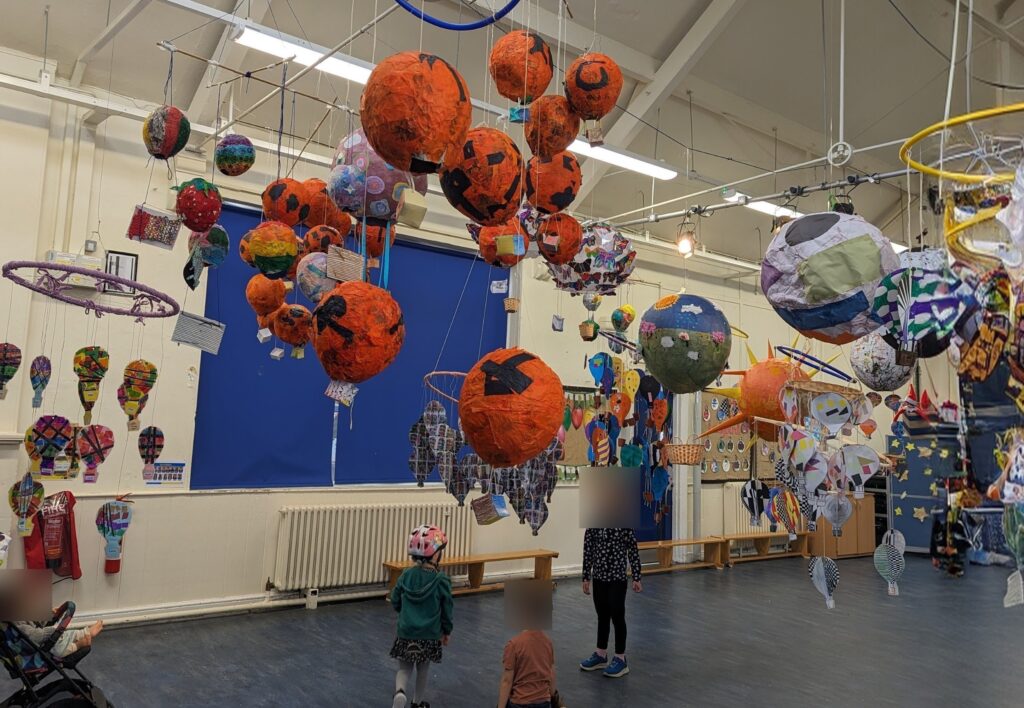
- close-ups of hands, work, displays, books, equipment or activities
- wider classroom or event shots where children are not identifiable
- cropped images that focus on the activity rather than the child
- photos with faces blurred, pixelated or covered
- images of pupil work without names or faces visible
A photo of muddy wellies after forest school, hands planting seeds, a table full of Roman shields or a close-up of artwork can still tell a warm and engaging story without showing a child’s face.
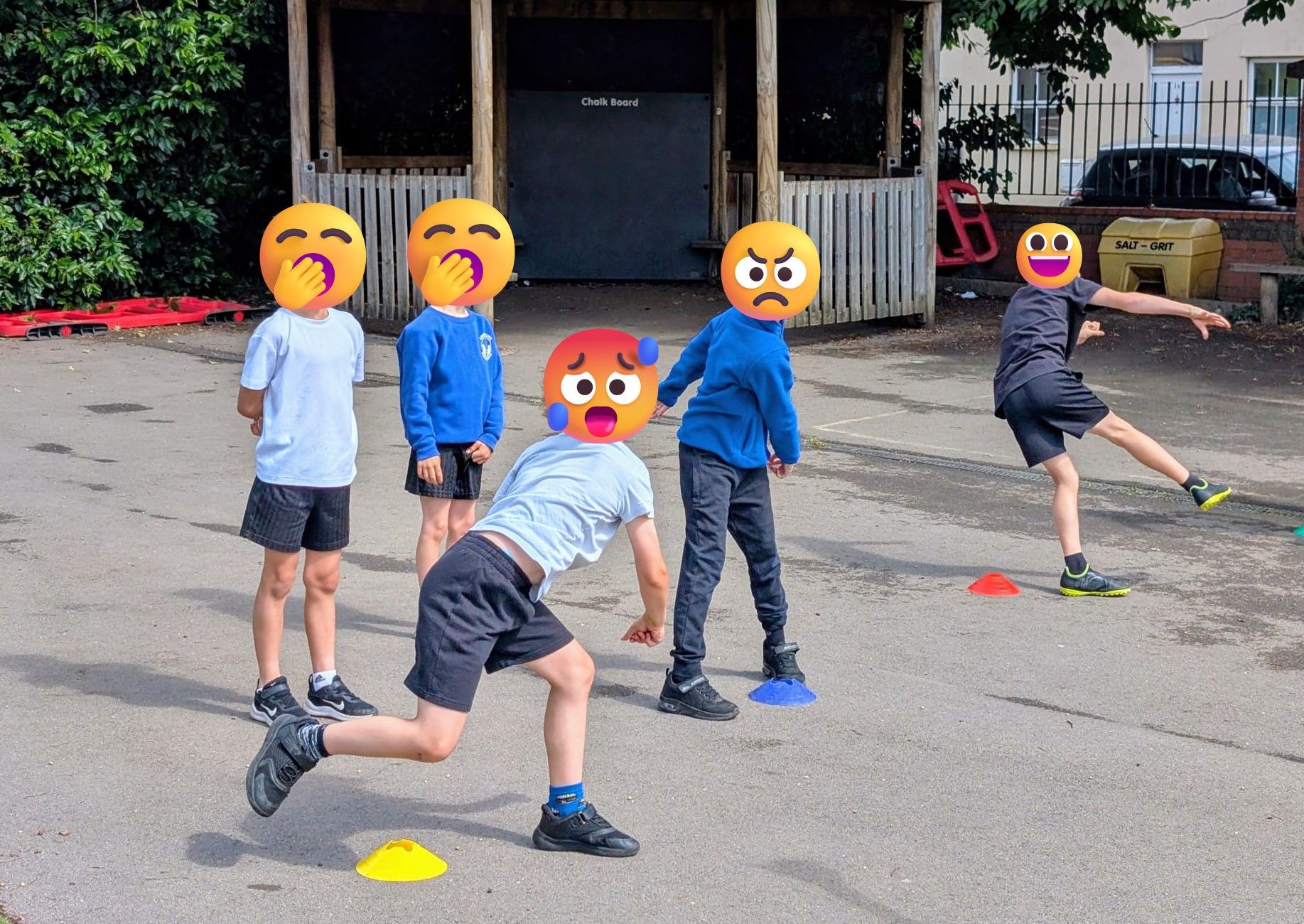
Blur or obscure faces
Where a photo is useful but includes identifiable faces, blurring or covering faces is a sensible fallback.
There are free tools that can help with this. For example, ImageOnline’s face blur tool can detect faces and apply blur, pixelation or emoji overlays. This tool in particular is a good choice because, according to their site, all the processing is done in the user’s browser without the photo ever getting uploaded to their servers. Not all tools work this ‘on-device’ way and uploading images to an image editor creates another point of failure with regard to safeguarding and data protection.
Schools should still check edited images carefully. A child may remain identifiable from a name badge, certificate, classroom display, file name, uniform, alt text text or the context of the story.
Search engines and noindex settings
Schools should also think about whether public pages containing children’s photos are being indexed by search engines.
Where possible, newsletters and web pages containing pupil photos should be marked as noindex so they do not appear in search results. Ecko already instructs search engines not to index its newsletters, and many school website content management systems may have similar options for individual pages or sections.
This is not a complete safeguard. Google’s own guidance is clear that a noindex rule prevents a page from appearing in search results only after the page has been crawled. It does not make the page private, and it does not stop someone accessing the page if they have the link.
It also does not guarantee that every crawler, scraper or bad actor will respect the instruction.
Still, it is a useful extra layer. If a page does not need to be discoverable through search, it is sensible to discourage indexing.
A good moment to update families
Because this issue has been in the news, now is a good time for schools to speak clearly with families about how pupil images are used.
Schools could use the moment to:
- re-share their photography and filming policy
- explain where pupil images may appear
- clarify the difference between public and more controlled channels
- explain how families can withdraw or change consent
- give families guidance on sharing school photos themselves
- review older website posts, newsletters and social media content
This does not need to be alarmist. A calm, practical update can help families understand the risks and feel confident that the school is taking them seriously.
This is not about stopping schools from celebrating children
It would be a real shame if schools felt they could no longer share the joyful, proud and human parts of school life.
Photos help families feel included. They show the richness of what happens in school every week. They celebrate children’s creativity, effort and experiences in a way words sometimes cannot. But the online environment has changed.
The NSPCC advises organisations to think carefully about the risks involved in taking, using, sharing and storing photos and videos of children. With AI tools making image misuse easier, schools need to be more cautious about what they publish publicly.
That does not mean stopping visual storytelling, it just means maker safer choices.